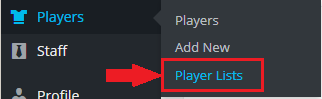
When a Mouse's Cursor Hovers...
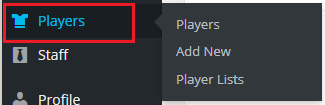
Next, navigate down the left-hand-side of the vertical menu, and observe that each of the itemized choices becomes blue when we mouse over them; so in particular, we are interested in pointing the mouse at the “Players” link. Hover your cursor over “Players” and observe that the drop-down menu “flies out” to the right.
From the Players flyout menu, click on “Player Lists”.